.png?width=450&height=117&name=MavenLogo_Horizontal_WhiteType01%20(1).png)
Accessing Trip Workflow
- Log in to the Fleet Portal using administrator credentials.
- In the left‑hand navigation menu, click Trip Workflow Viewer under the Trip Workflows section.
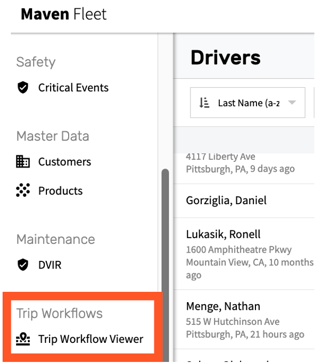
From here, you can view all trips dispatched to drivers and filter using:
- Trip Name
- Truck Number
- Trailer Number
- Stop Name
- Trip Status
- Driver Name
- Date Range (via the calendar selector)