.png?width=450&height=117&name=MavenLogo_Horizontal_WhiteType01%20(1).png)
Hours of service (HOS) dashboard
open the dashboard
-
Log in to the Maven Fleet Portal.
-
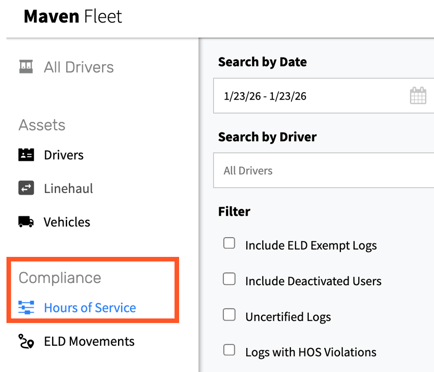
In the left navigation, select Compliance.
-
Click Hours of Service
-
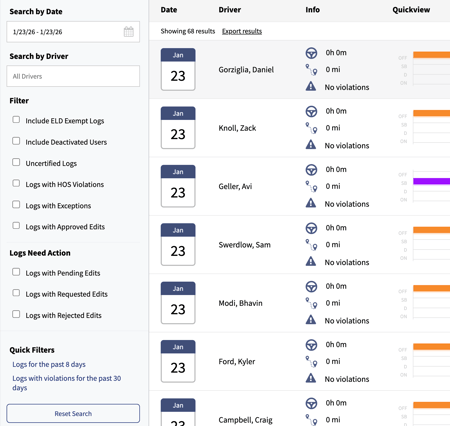
The HOS dashboard opens and lists all drivers with available HOS data.
-
Dashboard Components
|
Component |
Description |
|---|---|
|
Search & Filters |
Filter by driver name/ID, terminal, duty status, violations, and certification status. |
|
Driver List |
Shows each driver’s current duty status, hours remaining, and any violation flags. |
|
Hours Remaining |
Displays remaining driving time, on-duty time, time to break, and cycle hours. |
|
Last Update |
Shows the timestamp of the most recent ELD sync for each driver. |
Opening the Driver Log View from the HOS dashboard
-
From the HOS Compliance / Hours of Service page, locate the driver using Search or the driver list.
-
Click the driver’s name or the specific log-day row.
-
The Driver Log View opens for that driver and date, showing detailed duty status history, locations, and annotations.
Tips for working the HOS dashboard
-
Use filters such as Has Violations to quickly identify and triage compliance issues.
-
Sort by Time to Break to prioritize proactive dispatch decisions and prevent upcoming violations.