.png?width=450&height=117&name=MavenLogo_Horizontal_WhiteType01%20(1).png)
Overview
The Locations section in Maven Admin stores core customer site details such as address, time zone, terminal, availability, and routing days. Accurate data in this section drives routing, optimization, and dispatch behavior.
Location list
Access to Admin → Locations requires the appropriate admin or planning permissions.
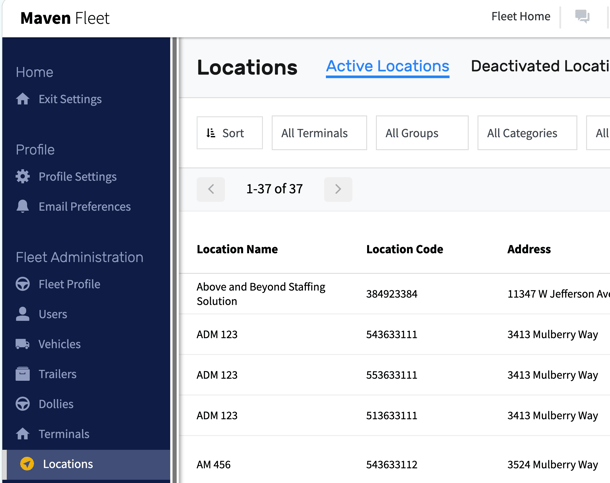
The Locations list in Maven Admin:
-
Defaults to active locations, with an option to show inactive locations.
-
May take up to 24 hours to display new locations, depending on how they are created or imported.
-
Supports searching and filtering by:
-
Terminal or region
-
Groups or tags
-
Category or account type
-
Location name or code
-
Address or city/state
-
Use filters to quickly find locations to review or adjust
Key location attributes
|
Attribute |
Purpose |
|---|---|
|
Location name |
Display name shown in planning, dispatch, and driver views |
|
Location code |
Unique identifier/customer number tied to external systems |
|
Address |
Service address used for navigation, distances, and ETAs |
|
Time zone |
Controls how time windows and appointments display |
|
Geofence |
Map boundary used for arrival and departure detection |
|
Terminal |
Assigns operational ownership (terminal, region, or BU) |
|
Location category |
Describes how orders generate or behave |
|
Location tags |
Adds flexible labels for filtering and reporting |
|
Location availability |
Defines days and times the site can receive service |
|
Routing days |
Defines which days orders generate or routing applies |
Maintaining accurate attributes in Locations ensures that Maven planning and dispatch reflect real‑world service rules and customer expectation