.png?width=450&height=117&name=MavenLogo_Horizontal_WhiteType01%20(1).png)
Overview
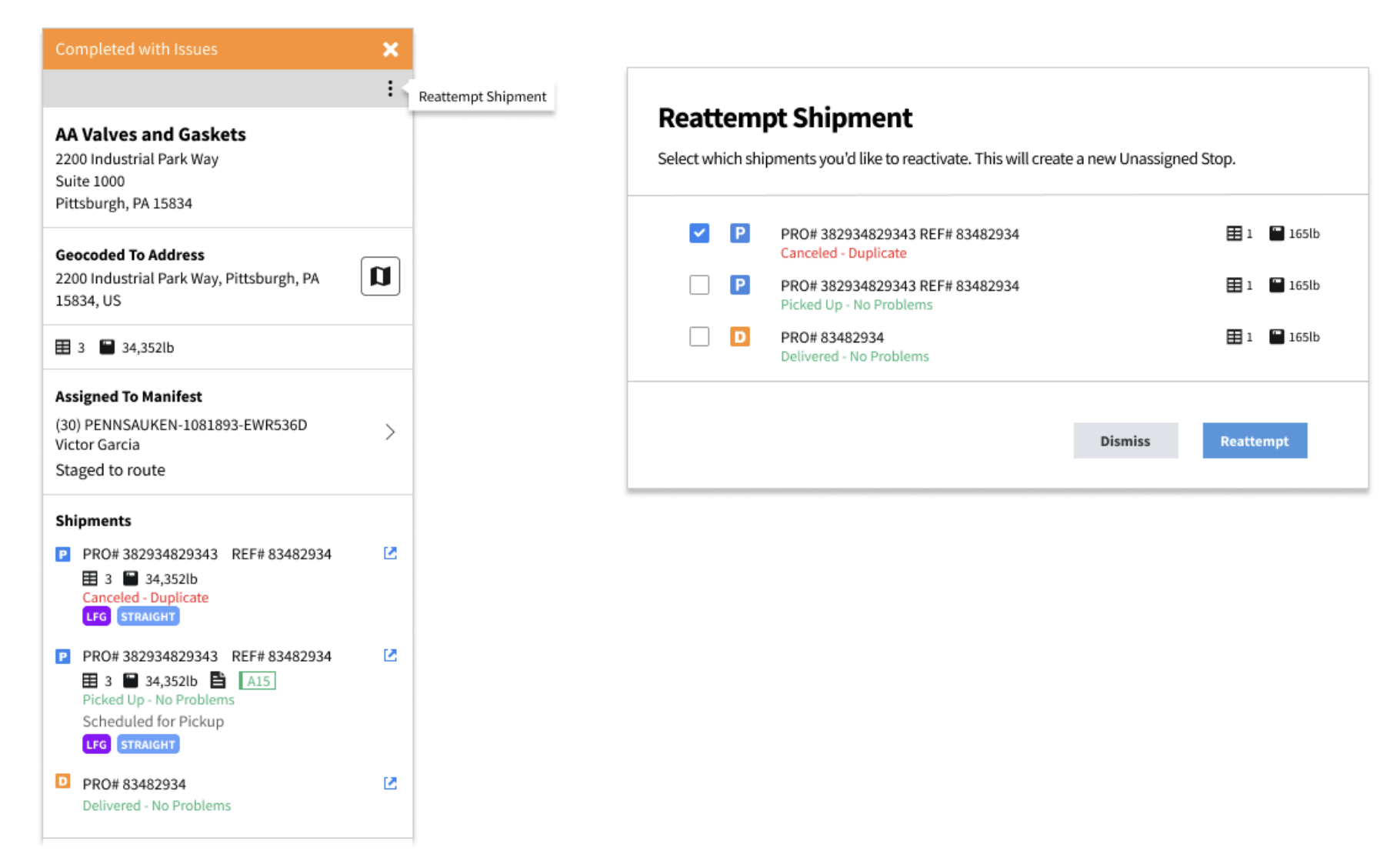
Maven allows dispatchers to reattempt any shipment stop at any time.
A reattempt creates a new, unassigned copy of the original shipment, which the dispatcher can assign to the same driver or to another available driver.
This feature helps teams recover from real-world changes such as freight not ready, partial deliveries, or stops completed in error.
How Reattempts Work
-
The system creates a duplicate version of the selected stop.
-
The new stop appears unassigned.
-
Dispatch assigns the stop to any driver and route.
-
The original completed stop remains for historical accuracy.
Reattempts do not delete prior activity—they create a new opportunity to complete the work correctly.
When to Use a Reattempt
Dispatchers use reattempts in many common scenarios.
1) Pickup Not Ready on First Attempt
-
The driver arrives for pickup, but the freight is not ready.
-
The driver completes the stop as “No Freight.”
-
Later the customer confirms the shipment is ready.
-
The dispatcher reattempts the pickup and assigns it to:
-
the same driver, or
-
another driver near that location.
-
2) Delivery Marked Short, Freight Found Later
-
The driver delivers part of the order and marks the stop short.
-
At the end of the route, the driver discovers the missing pieces on the truck.
-
The driver contacts dispatch.
-
The dispatcher reattempts the delivery and assigns it back to that driver to return to the customer.
3) Delivery Completed in Error
-
A driver marks a delivery completed successfully by mistake.
-
The team identifies the error.
-
The dispatcher reattempts the delivery and reassigns it to the correct driver to finish the stop properly.
Steps to Reattempt a Stop
-
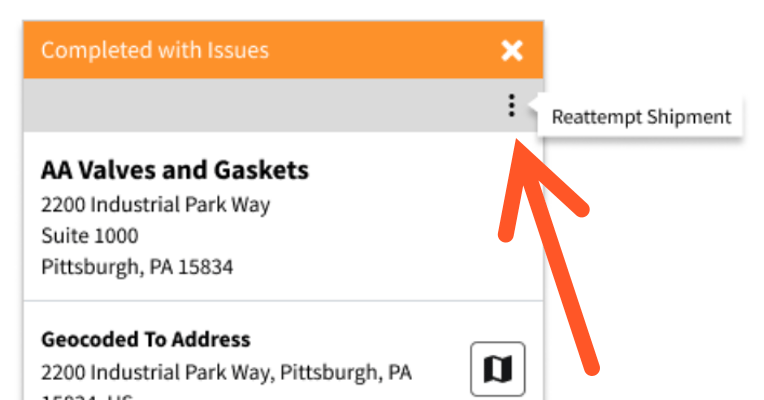
Locate the shipment or stop in Maven Dispatch click on the 3 Dots
-
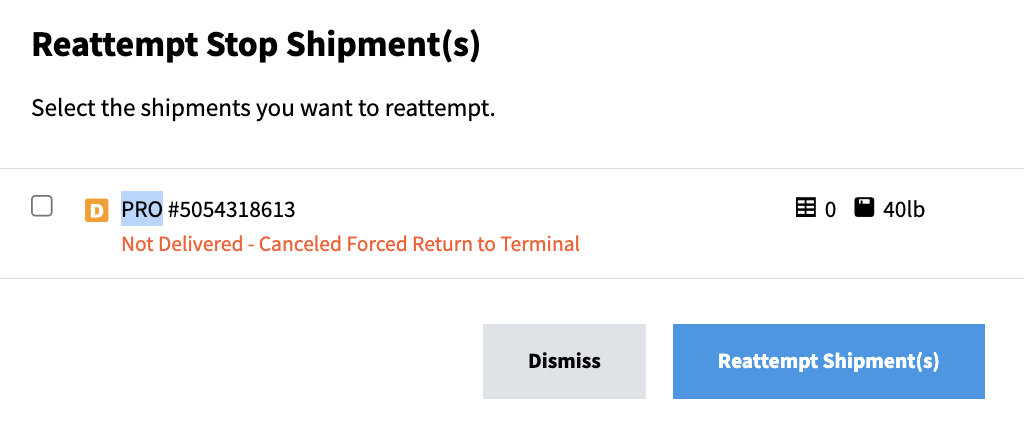
Select Reattempt from the stop actions.
-
Review the newly created unassigned stop.
-
Assign the stop to the appropriate driver and route.
The new stop now follows the standard dispatch workflow.
Best Practices
-
Use reattempts instead of editing completed stops.
-
Add notes to explain the reason for the reattempt.
-
Assign reattempted stops promptly to avoid service delays.
-
Communicate changes to drivers when the assignment returns to the same route.