.png?width=450&height=117&name=MavenLogo_Horizontal_WhiteType01%20(1).png)
Monitor active routes
-
Select Plan & Dispatch tab
-
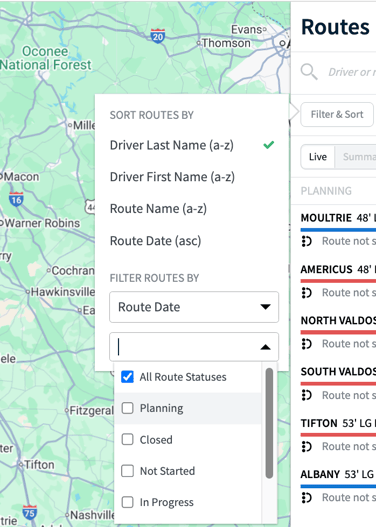
Filter routes by In Progress
-
Review map view for driver location
-
Check stop status updates in real times
make changes to an active route
-
Select the active route
-
Choose the stop you want to update
-
Reassign, remove, or adjust the stop
-
Save changes
-
Notify the driver of updates
TipS
-
Avoid unnecessary changes mid-route
-
Communicate clearly with drivers when changes occur