.png?width=450&height=117&name=MavenLogo_Horizontal_WhiteType01%20(1).png)
add or update a user
-
Open Maven Admin
-
Select Users
-
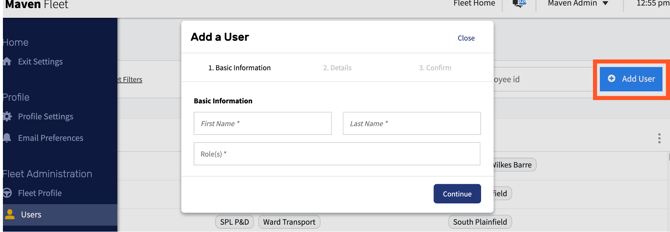
Click Add User or select an existing user
-
Enter or update:
-
Name
-
Employee ID
-
Email (if applicable)
-
-
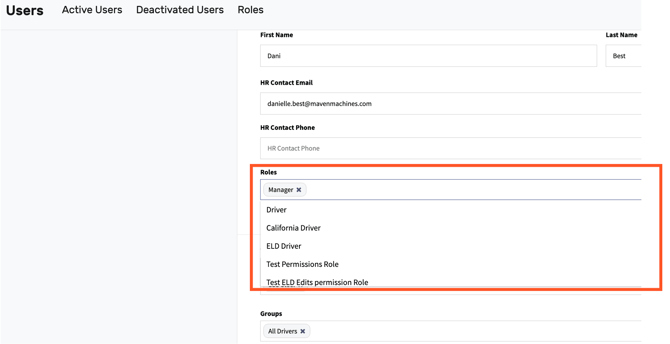
Assign the correct Role:
-
Manager (full access)
-
-
Driver (Driver App only)
-
Assign terminal(s)
-
Save changes
tips
-
Assign Manager + Driver roles only when required
-
Drivers should only belong to one terminal
-
Confirm Employee IDs before saving